Tampilkan postingan dengan label Backup. Tampilkan semua postingan

Senin, 12 September 2016

Rufus 2.11.995

Rufus is a freeware that can be used to make Bootable USB/flash disk, this is useful when you want to create the installation media from USB (Windows, Linux, etc.).

The use of a bootable USB flash drive (pendrive, memory stick and others) will be very useful for a computer technician or owner of a laptop, especially a netbook or notebook that does not have a CD/DVD drive. In addition to faster installation process than using a CD/DVD media, USB makes it easy for us to update BIOS, password recovery, examine and analyze an operating system.
Windows operating systems supported Rufus i.e. Windows XP (SP2 or higher), Windows Server 2003 R2, Windows Vista, Windows 7, Windows 8 and Windows 9. Rufus also supports Linux such as Arch Linux, Hiren's Boot CD, Parted Magic, Knoppix, Kubuntu, OpenSUSE, CentOS, Fedora and a variety of other distroLinux.
How to use it very easily. Once downloaded can be directly executed (portable). Select USB drive, locate the ISO and then press the start button to start the transfer process. Don't forget to backup the contents of Flash because Rufus will automatically format the Pendrive which you use. This utility also has the option of FreeDOS, so you can use it to boot your computer or laptop in DOS mode. Very useful and makes it easy to do a BIOS upgrade process requires a DOS command prompt.

Freeware license
Developer Pete Batard/Akeo
Operating system Windows XP/Vista/7/8/10

http://fileml.com/l/0N773

http://fileml.com/l/0N773

Kamis, 08 September 2016

Rufus 2.11.994 Beta

Rufus is a freeware that can be used to make Bootable USB/flash disk, this is useful when you want to create the installation media from USB (Windows, Linux, etc.).

The use of a bootable USB flash drive (pendrive, memory stick and others) will be very useful for a computer technician or owner of a laptop, especially a netbook or notebook that does not have a CD/DVD drive. In addition to faster installation process than using a CD/DVD media, USB makes it easy for us to update BIOS, password recovery, examine and analyze an operating system.
Windows operating systems supported Rufus i.e. Windows XP (SP2 or higher), Windows Server 2003 R2, Windows Vista, Windows 7, Windows 8 and Windows 9. Rufus also supports Linux such as Arch Linux, Hiren's Boot CD, Parted Magic, Knoppix, Kubuntu, OpenSUSE, CentOS, Fedora and a variety of other distroLinux.
How to use it very easily. Once downloaded can be directly executed (portable). Select USB drive, locate the ISO and then press the start button to start the transfer process. Don't forget to backup the contents of Flash because Rufus will automatically format the Pendrive which you use. This utility also has the option of FreeDOS, so you can use it to boot your computer or laptop in DOS mode. Very useful and makes it easy to do a BIOS upgrade process requires a DOS command prompt.

Freeware license
Developer Pete Batard/Akeo
Operating system Windows XP/Vista/7/8/10

http://fileml.com/l/0N773

Glary Utilities 5.59.0.80

Glary Utilities is one of the tools to improve programs, maximize performance, monitor and protect system on Your Laptop or PC.


Computer and laptop care not only took care of the hardware (the hardware) course. Maintenance software also needs to be done to bolster the performance of our computers in order to remain optimal. Currently, there are many software that his function is to take care of our computer (software utilities). His examples are very popular like Tune Up Utilities and Ccleaner.

With Glary, you can clean the junk files, broken registry also (invalid). It allows also for its users to do the settings (manage) and delete browser add-ons, analyze the use of storage media, and look for files or data terduplikat.

Furthermore, Glary Utilities has menu options to optimize memory, find/fix/remove broken shortcuts on Windows, manage the programs that run automatically (Windows startup), and uninstall programs.

You can also manage and delete browser add-ons, analyze disk usage as well as analyze and search for duplicate files which certainly will reduce the space of your hard drive. Beside that, this application will speed up the boot process of windows.

The features you can get include:

1. Disk Cleaner removes junk (such as Disk Cleanup Windows facilities)

2. Registry Cleaner Scan and clean up your registry to improve the performance of computer systems.

3. fix the error in the boot at the time of start-up

4. Startup Manager to manage programs that start automatically at startup

5. Tracks Eraser erases all the traces, evidences, cookies, internet history and more


Freeware License

Developer Glarysoft Ltd.

Operating system Windows XP/Vista/7/8/10

http://fileml.com/l/0NQ8

Kamis, 01 September 2016

IObit Uninstaller 6.0.2.156

IObit Uninstaller is a software that can remove the multi uninstall applications, registry file and delete the program or folder on your computer that are no longer needed to achieve the best performance.

Install and uninstall applications/software on laptops/computers are commonplace and often done by computer users. When the capacity of the hard drive is already starting to feel claustrophobic then one alternative to loosen up again is to delete or uninstall the application that is not very important on the computer. Windows already provides a default application to delete/uninstall installed applications on your computer system but the process can only be done one by one, could not at once to uninstall multiple applications simultaneously (batch uninstall).
You can use this software free of charge without having to install it on Your PC/laptop, due to its Portable. with a simple interface, easy to use, comprehensive features, the size of a small application to make IOBit is widely used and became one of the best free applications from the installation.
The cleaning process has two stages. First, you start the uninstaller application and allow unwanted IObit Uninstaller do its job. And second, "scan for Powerful" IObit Uninstaller Registry file check on your hard drive for the rest of the installation.
IObit Uninstaller Uninstall Option provides additional force, which you can use to remove the program if the original Windows uninstaller in Cpanel no longer works.

Freeware license
IObit developers All Rights Reserved
Operating system Windows XP/Vista/7/8/10


http://okayfiles.com/file/059ad4

Rufus 2.11.993 Beta

Rufus is a freeware that can be used to make Bootable USB/flash disk, this is useful when you want to create the installation media from USB (Windows, Linux, etc.).

The use of a bootable USB flash drive (pendrive, memory stick and others) will be very useful for a computer technician or owner of a laptop, especially a netbook or notebook that does not have a CD/DVD drive. In addition to faster installation process than using a CD/DVD media, USB makes it easy for us to update BIOS, password recovery, examine and analyze an operating system.
Windows operating systems supported Rufus i.e. Windows XP (SP2 or higher), Windows Server 2003 R2, Windows Vista, Windows 7, Windows 8 and Windows 9. Rufus also supports Linux such as Arch Linux, Hiren's Boot CD, Parted Magic, Knoppix, Kubuntu, OpenSUSE, CentOS, Fedora and a variety of other distroLinux.
How to use it very easily. Once downloaded can be directly executed (portable). Select USB drive, locate the ISO and then press the start button to start the transfer process. Don't forget to backup the contents of Flash because Rufus will automatically format the Pendrive which you use. This utility also has the option of FreeDOS, so you can use it to boot your computer or laptop in DOS mode. Very useful and makes it easy to do a BIOS upgrade process requires a DOS command prompt.

Freeware license
Developer Pete Batard/Akeo
Operating system Windows XP/Vista/7/8/10

http://fileml.com/l/0N773

Selasa, 30 Agustus 2016

Windows Repair 3.9.10

Windows Repair is an application used to fix windows error with a variety of tools in one application. registry errors, such as malware and reset your Windows settings to default.

Often we get a wide range of issues in the Windows operating system that we use. Whether it's due to the crash between the software, the error due to the tweaking, or various other issues. The last path usually taken is to re-install Windows. However, there is a free piece of software that is worth a try before you decide to re-install your Windows.
Windows Repair (All in One), this Software has a variety of powerful features and tools to repair damaged Windows/error.
Windows application to Repair this basically works by performing a restore Windows system to the original condition. That way we can repair Windows without the need to reinstall. However, not all damage can be repaired by windows applications, if the damage is too severe, the reinstall Windows can not be avoided.
How to do the repair we do in Windows with this program:
1. Clean your Laptop/computer from Malware, viruses and so on.
2. Fix the damage to the File System on the hard drive.
3. Run a File System Check (SFC).
4. The Registry Backup & System Restore.
5. Start Computer Repair.

Freeware license
Developer Tweaking.com
Operating system Windows XP/Vista/7/8/10

http://fileml.com/l/0N664

CrystalDiskInfo 7.0.3

Crystaldiskinfo is a HDD/SSD utility which allows you to display detail information on a Laptop computer, hard drive, and external HD.

Crystal Disk Info has been supporting S.M.A.R.T., a surveillance system that is able to detect the possibility of the destruction of a OpenOffice.org. Indicators-charge indicators will very much and can be viewed directly on the home page. Storage condition reports can then be copied into a text file if you want to print. Other functions that are owned, among others, setting noise and power consumption. Keep in mind, is inversely proportional to its storage performance with both of these.
Crystal Disk Info will also conduct monitoring all features of HDD that still works well, until conditions are worst. Information from the SMART He will also show how many times the hard disk is turned on, and how many hours during this burning.
Features Of CrystalDiskInfo:
– Support Windows 8/2013 and Windows Server 10
– Added Plextor SSD
– OCZ SSD Improvement
– Support the Intel SSD 335
– Updates The Desktop Gadget
– Supports S.M.A.R.T.
– Keep track of information such as temperature, HDD disk size, transfer mode, the size of the buffer.
– Easy to run
– Monitor the status and the temperature of the Hard Disk
– The chart information S.M.A.R. T

Freeware license
Developer Hiyohiyo
Operating system Windows XP/Vista/7/8/10

http://fileml.com/l/0N655

http://fileml.com/l/0N656

EaseUS Todo Backup Free 9.3

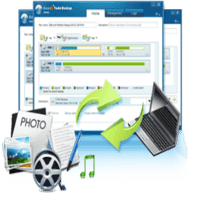
EASEUS Todo Backup is a free backup software file and disk clone that will protect your data including documents, photos, videos, applications, and other data.

EASEUS Todo Backup has several main features include:
1. Backup and recovery the operating system and applications installed on your computer without interrupting your work. Supports Windows 2000, XP, Vista and Windows 7 & 8.
2. Backup any files and folders that you want.
3. Have Incremental backups so that you can backup the last change happened on your computer based on your recent data backup. This of course saves disk space and your time.
4. you can store your backup data on the storage media you want such as hard drives, CD/DVD, network etc.
5. you can protect your backup data with a password so that it is not exploited by irresponsible people.
6. You can schedule the backup process to your liking does it now, daily, weekly, or monthly.
7. Come with backup management to set up your backup plan.
8. Has the features of Disk Clone tool to copy all of the data on your hard drive to another hard drive. This you can make for you who would like to upgrade your hard drive but do not want to re-install all your software again.

Freeware license
Developers EaseUS
Operating system Windows XP/Vista/7/8/10
http://fileml.com/l/0N654

Senin, 29 Agustus 2016

Wise Disk Cleaner 9.28.647

Wise Disk Cleaner disk cleaner software is very user friendly to free up disk space by deleting junk files that are no longer used by the system on your laptop or computer.

Hard disk filled with unneeded junk files will take up your disk space and potentially slowing down your PC's performance.
Typically files or junk shows up as the results of the rest of the program uninstall, Temporary Internet Files, etc. Wise Disk Cleaner also has a display that is easy to use and will help you to remove all junk files. This freeware is a mix of computer cleaning tools and defragmenter. So, this tool is not only able to deal with unused files on your computer/laptop, but at the same time could do a defrag the hard drive for you.
Excess & Feature Wise Disk Cleaner:
– Quick and easy
Using the latest sophisticated algorithms. It takes only a few seconds to scan the whole disk. Moreover it is very easy to operate for beginners and pros.
– Complete Cleaner
Clean up temporary files, browsing history, download history, form history, invalid shortcuts, traces, cache, cookies, passwords, Windows components and many other useful files.
– Advanced Cleaner
You can locate the file that you want to remove with a special extension (for advanced users)
– Slimming System
Remove items that Windows is no longer needed, such as sample pictures, sample music, video, files sample IME, help files, installation files, basic installer cache and so on.

Freeware license
Developer WiseCleaner
Operating system Windows XP/Vista/7/8/10

http://fileml.com/l/0N6S

Senin, 22 Agustus 2016

Wise Disk Cleaner 9.28.647

Wise Disk Cleaner disk cleaner software is very user friendly to free up disk space by deleting junk files that are no longer used by the system on your laptop or computer.

Hard disk filled with unneeded junk files will take up your disk space and potentially slowing down your PC's performance.
Typically files or junk shows up as the results of the rest of the program uninstall, Temporary Internet Files, etc. Wise Disk Cleaner also has a display that is easy to use and will help you to remove all junk files. This freeware is a mix of computer cleaning tools and defragmenter. So, this tool is not only able to deal with unused files on your computer/laptop, but at the same time could do a defrag the hard drive for you.
Excess & Feature Wise Disk Cleaner:
– Quick and easy
Using the latest sophisticated algorithms. It takes only a few seconds to scan the whole disk. Moreover it is very easy to operate for beginners and pros.
– Complete Cleaner
Clean up temporary files, browsing history, download history, form history, invalid shortcuts, traces, cache, cookies, passwords, Windows components and many other useful files.
– Advanced Cleaner
You can locate the file that you want to remove with a special extension (for advanced users)
– Slimming System
Remove items that Windows is no longer needed, such as sample pictures, sample music, video, files sample IME, help files, installation files, basic installer cache and so on.

Freeware license
Developer WiseCleaner
Operating system Windows XP/Vista/7/8/10


http://fileml.com/l/0Nr1

Glary Utilities 5.58.0.79

Glary Utilities is one of the tools to improve programs, maximize performance, monitor and protect system on Your Laptop or PC.


Computer and laptop care not only took care of the hardware (the hardware) course. Maintenance software also needs to be done to bolster the performance of our computers in order to remain optimal. Currently, there are many software that his function is to take care of our computer (software utilities). His examples are very popular like Tune Up Utilities and Ccleaner.

With Glary, you can clean the junk files, broken registry also (invalid). It allows also for its users to do the settings (manage) and delete browser add-ons, analyze the use of storage media, and look for files or data terduplikat.

Furthermore, Glary Utilities has menu options to optimize memory, find/fix/remove broken shortcuts on Windows, manage the programs that run automatically (Windows startup), and uninstall programs.

You can also manage and delete browser add-ons, analyze disk usage as well as analyze and search for duplicate files which certainly will reduce the space of your hard drive. Beside that, this application will speed up the boot process of windows.

The features you can get include:

1. Disk Cleaner removes junk (such as Disk Cleanup Windows facilities)

2. Registry Cleaner Scan and clean up your registry to improve the performance of computer systems.

3. fix the error in the boot at the time of start-up

4. Startup Manager to manage programs that start automatically at startup

5. Tracks Eraser erases all the traces, evidences, cookies, internet history and more


Freeware License

Developer Glarysoft Ltd.

Operating system Windows XP/Vista/7/8/10
http://fileml.com/l/0NQ8

Java Runtime Environment 8 Update 102

Java Runtime Environment is a piece of software that serves to run all applications are Java-based and is the one technology that is produced and developed by Oracle.

With this application allows you to run applications called an applet written in Java-based programming language.
This language was originally created by James Gosling while still joining Sun Microsystems currently is part of the Oracle, released in 1995. This language many adopt the syntax in C and C++ syntax but has a simpler object model and the minimal support. Java-based applications generally compiled into p-code (bytecode) and can run on a variety of Java Virtual Machine (JVM). This system is a programming language that is both general/non-specific (general purpose), and specifically designed to take advantage of minimal implementation dependencies as possible. Because the functionality that allows java applications capable of running on several different operating system platforms.
Many good applications that are running on Windows, Mac or Linux which requires java to be able to function and used properly. An example of the easy course is if you want to upload photos to Facebook, your computer first should be installed JRE.

Freeware license
Oracle Developer
Operating system Windows XP/Vista/7/8/10


http://fileml.com/l/0N3J

http://fileml.com/l/0N3k

FBackup 6.1.227

Fbackup is a backup program that automatically protects your important files, in addition to the easy to operate, this tool also offers speed and a variety of other features that make it easy for you to do a backup data storage.

Fbackup free for personal and commercial use and have no 3rd party programs combined with him or other disorders. This means that when you install this Program only to be installed and you can start making backups immediately when you click Backup button from the main interface.
This application uses the default compression type, ZIP, to store your data. Unlike other programs that create their own format, with FBackup you can always calm because the stored data can be restored with any ZIP utility. Surely, FBackup provides a way to protect your data with a password, so that only you can access it.
To use the backup wizard, you must configure data backups, data storing, place and time saving. This means after you specify a backup job, you can schedule it to run automatically so you don't have to bother with difficulty his backup manually. You will receive a report if backup encounter errors or warnings, so if an error occurs, you can perform the repair.

Freeware license
Developer Softland
Operating system Windows XP/Vista/7/8/10


http://fileml.com/l/0N3j

Snappy Driver R474

Snappy is a collection of Drivers drivers Laptop/PC that automatically detect and install on the hardware and software that you use with accurate.

BadPointer (software developer Snappy Driver Installer) previously worked in DriverPack Solution (DPS). DPS are written in java, which is very slow and has many shortcomings & limitations.
SDI was originally developed as a product of solo URBadPointer.DPS rewriting from scratch in C and C++. But in the end it was decided to promote it, regardless of the DPS and with different names.
Snappy Driver Installer using driver from Driverpack, but using complex algorithms that are better, and thus more fitting with the hardware being used. By using the same driver owned Driverpack, ensures completeness of the supplied drivers. In addition, the use of computer resources to run this application is quite low. Its use is also more user friendly, so it can be easily run by novice users though.
The difference between a Snappy Drivers DriverPack Solution & Installer located on the speed of detection as well as the composition of the program installed. Where the Driver Installer of Snappy is superior in terms of speed detection and driver will not install applications junkware DriverPack Solution compared to other similar applications as well.

Freeware license
Developer Bad Pointer
Operating system Windows XP/Vista/7/8/10


http://fileml.com/l/0N3I

DriverPack Solution 17.7.4

DriverPack Solution is a program that contains the groups of drivers for VGA, Chipset, SoundCard, LanCard, Wifi, Printer, etc. Can be used for all versions of windows (32/64 bit) that you can use in a wide range of computers and laptops.

Difficulty in finding drivers is one of the major obstacles in the process of reinstall the PC or laptop. This is very important because drivers without drivers, the hardware-hardware that is installed on our device will not function normally due to actual driver functions to link between hardware and software.
One of the hallmarks of Driver Pack Solution that is able to update its driver easily offline, you can update the drivers quickly without using an internet connection, it is because you have to download all the required drivers database, the database drivers you downloaded contains various drivers that have been updated to the latest version.
For those of you who frequently do reinstall the PC and your laptop or computer engineers then you are required to have ISO-shaped this software, it will greatly facilitate you in terms of doing the driver update and get the latest drivers for all the hardware installed on your computer including printer drivers, webcam and more.

Freeware license
Developer Artur Kuzyakov
Operating system Windows XP/Vista/7/8/10


http://fileml.com/l/0N3i

Microsoft .NET Framework 4.6.2

Microsoft dot Net Framework is a component that is required by the Windows operating System to run many applications that we usually meet on the newer system from Windows itself.

In an application programming there are billions of line of code, the more complex an application programming then line-line code any more. Microsoft then open bank program that is bundled in the Framework, this Program contains basic programming that can be used by any programmer. So a programmer doesn't have to create from scratch a programming command, simply by calling an existing programming in Microsoft .NET Framework.
.NET Framework is designed to meet several objectives:
1. To provide a consistent work environment for object-oriented programming languages either object code was stored and executed locally, executed locally but internet-distributed through or executed remotely.
2. Meminimaliasi process of software deployment and avoid conflicts use the software version in the make.
3. To provide a safe working environment in terms of execution of code, including code created by third parties.
4. Reduce the problem on the question of the performance of the code or of the environment interpreter.
5. make developers more easily develop a whole range of applications which are more varied, such as windows-based applications and web-based applications.
6. Build all communication on industry standards to ensure that all application code based .NET Framework can integrate with a wide range of other application code.

Freeware license
Developer Microsoft
Operating system Windows XP/Vista/7/8/10


http://fileml.com/l/0N3H

Paragon Partition Manager 2014 Free

Paragon Partition Manager is a Freeware that allow a user to create and format hard disk partitions including manage, resize, delete partitions and free space management.

Paragon Partition Manager is a free software that you can use freely and safely.
There are five main functions contained in the software, namely:
1. Partitioning
To create, delete, and resize partitions and unify.
2. Copying and Migrating
To move the contents of the hard disk (partition) the old to the new hard disk.
3. Mac Related Operations
To manage the space between Mac OS X and Windows.
4. Backup and Rescue
To perform hard disk backup and recovery.
5. Boot Management
To set up the boot.

Freeware license
Developer Paragon Technologie GmbH
Operating system Windows XP/Vista/7/8


http://fileml.com/l/0N3G

Comodo BackUp 4.4.1.23

Comodo Backup Free Edition is a Software to backup your data Online and Offline. cloud-based, you can save data backup on the server using the Comodo account can be registered free of charge.

Here you can backup your important files to a secure diserver, to anticipate the occurrence of the damage to your Laptop or PC. Although now we can perform backups on an external HDD or pendrive. But of course an external hard drive or Flash disk may be damaged. So there is no harm if you also increase your storage space online.
Comodo backup has 2 backup solutions at once in one application that is online, offline and online in a way you don't need to bother carrying flasdisk or external hard drive, you simply connect to the internet and you can open from anywhere.
For the free version, you will get 5 GB capacity and can be used without limit. After login, you will get access to the comodo servers via explorer like access a media storage such as a hard disk.
Ease of backup systems ranging from file/directory, the registry up to partition. You can also schedule the backup process so there is no need to do it again manually. The results of the data backup has been done can be encrypted using a password so that your data will be safer.

Freeware license
Comodo Security Solutions Developer
Operating system Windows XP/Vista/7/8/10


http://fileml.com/l/0N3h

AOMEI Backupper 3.5.0

AOMEI Backupper is software that functions to backup all the data on the computer/laptop including system files and applications installed, and backing up all the files on the storage media.

To prevent system failure or data loss, backup important and very necessary.
AOMEI Backupper Standard Free provides basic and advanced features to ensure security of systems and data.
On the other hand, when an Error occurs (system crash, virus infection, or intentional errors), you can restore everything back to its original condition or retrieve lost or deleted data.
PCS within a company/Office usually has the same specs, it's good we only install on one PC and then perform backup and restore or clone to some other PC.
To be able to do this all you need not have to require a paid application, you can also do this using a free application, but still have a function that is not inferior to the ones paid.
AOMEI Backupper has four main features:
1. BackUp – function prevents loss of data consists of the System backup, Disk Backup, and the Backup Partition
2. Restore – Restores the State of the system before the State of the error/broken, consisting of System Recovery, Disk Partition Recovery, and Selective File Recovery.
3. Clone – for cloning hard drive, consisting of Partition Clone, and the Clone Disk
4. Utilities – consists of Check Image, Create Bootable Media, and Explore the Image.

Freeware license
Developer AOMEI Tech Co.
Operating system Windows XP/Vista/7/8/10


http://fileml.com/l/0N3g

EaseUS Todo Backup Free 9.2.0.1

EASEUS Todo Backup is a free backup software file and disk clone that will protect your data including documents, photos, videos, applications, and other data.

EASEUS Todo Backup has several main features include:
1. Backup and recovery the operating system and applications installed on your computer without interrupting your work. Supports Windows 2000, XP, Vista and Windows 7 & 8.
2. Backup any files and folders that you want.
3. Have Incremental backups so that you can backup the last change happened on your computer based on your recent data backup. This of course saves disk space and your time.
4. you can store your backup data on the storage media you want such as hard drives, CD/DVD, network etc.
5. you can protect your backup data with a password so that it is not exploited by irresponsible people.
6. You can schedule the backup process to your liking does it now, daily, weekly, or monthly.
7. Come with backup management to set up your backup plan.
8. Has the features of Disk Clone tool to copy all of the data on your hard drive to another hard drive. This you can make for you who would like to upgrade your hard drive but do not want to re-install all your software again.

Freeware license
Developers EaseUS
Operating system Windows XP/Vista/7/8/10


http://fileml.com/l/0N3F